This tutorial will guide you how to trigger a popup on clicking a button in WordPress. You can use the popup to display an email opt-in or newsletter subscription form, promote new products, deliver special offers or show videos to your visitors.
There are 4 steps in this tutorial:
- Step 1 - Install WordPress plugin Wonder Popup
- Step 2 - Create a popup
- Step 3 - Enable the popup on pages or posts
- Step 4 - Add HTML code to trigger the popup
A demo created with this tutorial is as follows:
Step 1 - Install WordPress plugin Wonder Popup
First please install the plugin Wonder Popup. You can download the Free Version from the product homepage, try it, make sure it works for you before upgrading to the commercial version.
For how to install a plugin from the downloaded plugin ZIP file, please view this tutorial: How to install a WordPress plugin from a ZIP file.
Step 2 - Create a popup
After you have installed the WordPress plugin Wonder Popup, in your WordPress backend, left menu, goto Wonder Popup -> Add New.
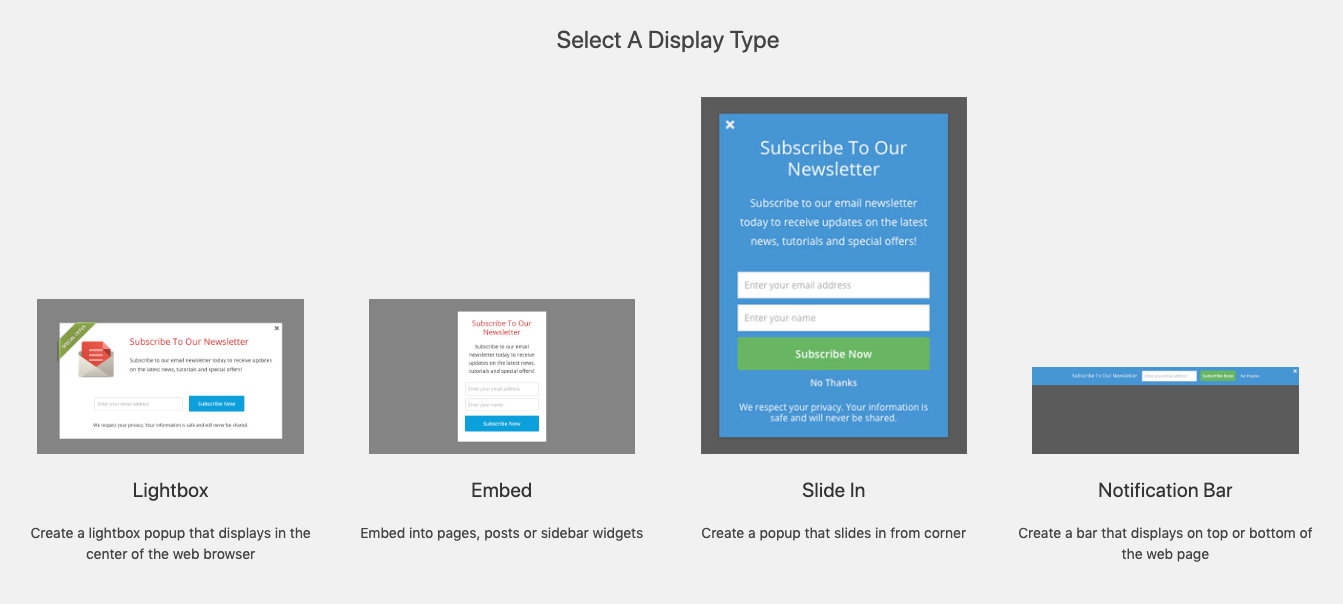
In the New Popup page, you can select from 4 types of forms:
- Lightbox: Create a lightbox popup that displays in the center of the web browser
- Embed: Embed the form into pages, posts or sidebar widgets
- Slide In: Create a popup that slides in from corner
- Notification Bar: Create a bar that displays on top or bottom of the web page
Step 3 - Enable the popup on pages or posts
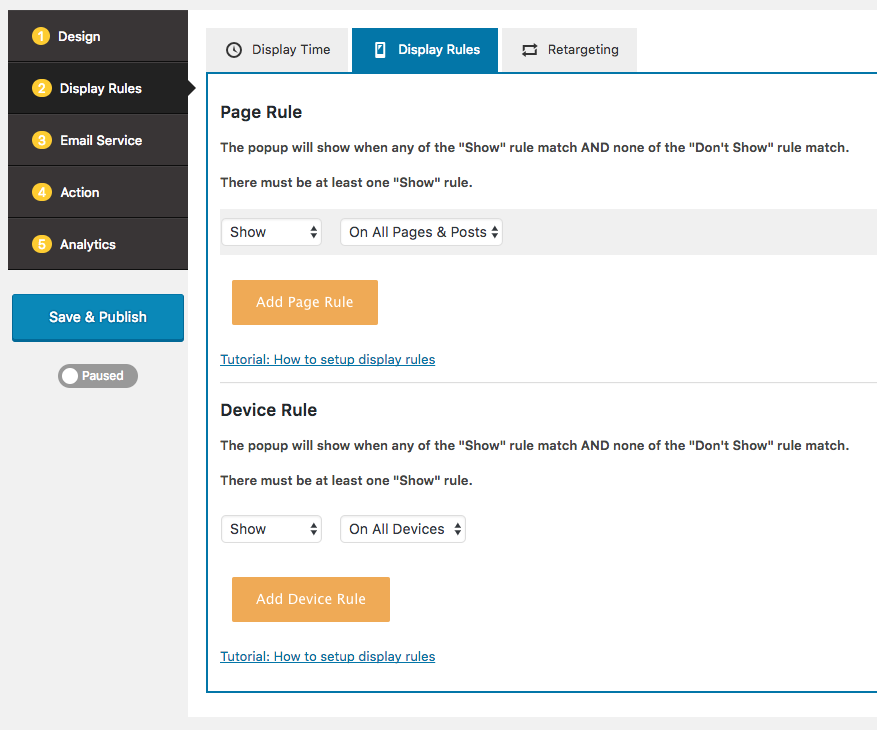
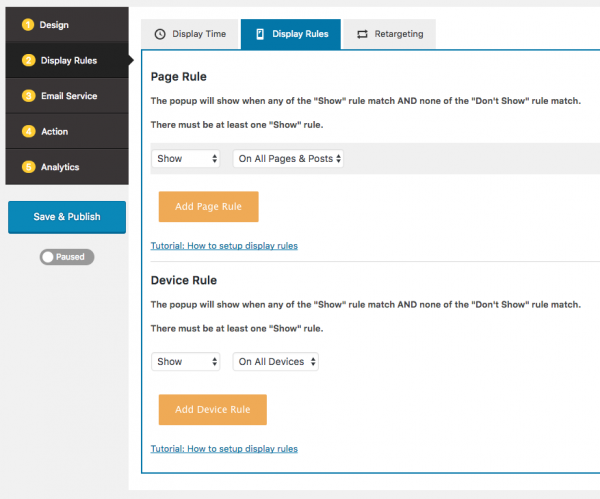
In the popup editor, step 3 Display Rules -> Display Rules tab, make sure the popup is enabled on the page or post that you are going to add the button.
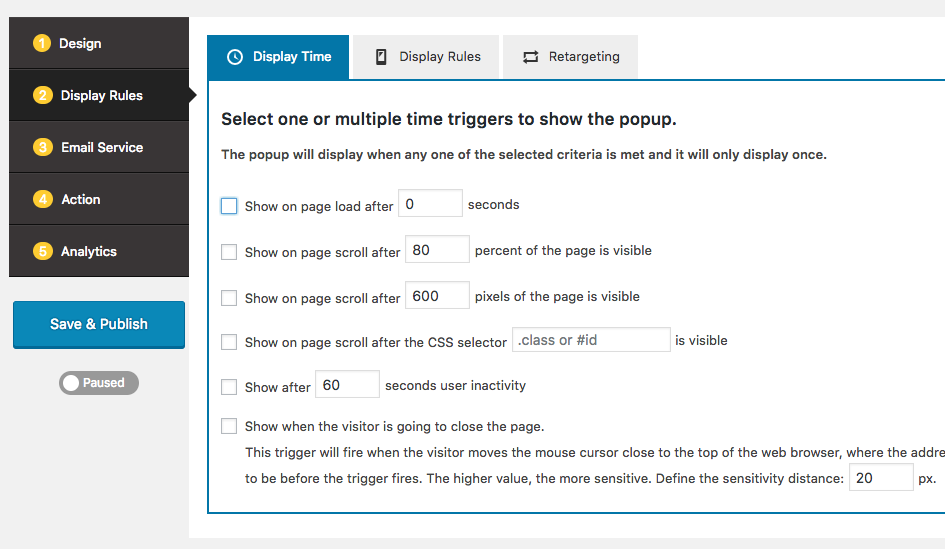
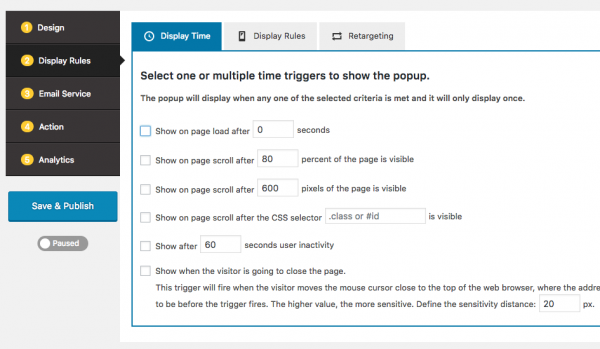
If you don't like the popup to show up automatically, in the popup editor, step 3 Display Rules -> Display Time, uncheck all options.
Step 4 - Add HTML code to trigger the popup
In the page or post that you are going to add the button, switch to Text edit mode, add the following code to create a button that will tigger the popup on click.
<a href="#" class="wppopup" data-popupid=1><button>Show Popup</button></a>
Please make sure to change value of data-popupid to the ID of your own popup.